Byonk
Bring Your Own Ink - Self-hosted content server for TRMNL e-ink devices
Features
- Lua Scripting - Fetch data from any API, scrape websites, process JSON - all with simple Lua scripts.
- SVG Templates - Design pixel-perfect screens using SVG with Tera templating (Jinja2-style syntax).
- Variable Fonts - Full support for variable font weights via CSS font-variation-settings.
- Smart Refresh - Scripts control when devices refresh - optimize for fresh data and battery life.
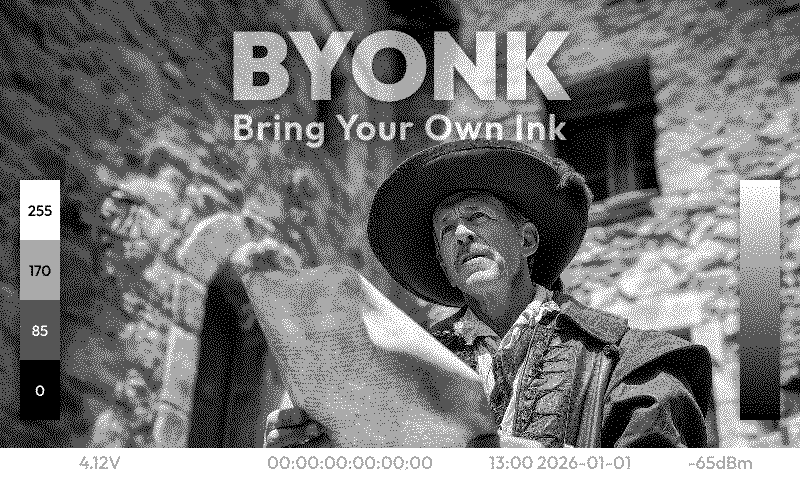
- 4-Level Grayscale - Blue-noise dithering optimized for e-paper’s 4 gray levels.
- Device Mapping - Assign different screens to different devices via simple YAML configuration.
Quick Start
# Run with Docker
docker run -d -p 3000:3000 ghcr.io/oetiker/byonk:latest
Or download a pre-built binary for your platform.
Point your TRMNL device to http://your-server:3000 and it will start displaying content.
How It Works
flowchart LR
    A[Lua Script] --> B[SVG Template] --> C[Dithering] --> D[TRMNL PNG]
- Lua scripts fetch data from APIs or scrape websites
- SVG templates render the data into beautiful layouts
- Renderer converts SVG to dithered PNG optimized for e-ink
- Device displays the content and sleeps until next refresh
Example: Transit Departures
Lua Script fetches real-time data:
local response = http_get("https://transport.opendata.ch/v1/stationboard?station=Olten")
local data = json_decode(response)

return {
  data = { departures = data.stationboard },
  refresh_rate = 60
}
SVG Template renders the display:
<svg viewBox="0 0 800 480">
  {% for dep in departures %}
  <text y="{{ 100 + loop.index0 * 40 }}">
    {{ dep.category }}{{ dep.number }} → {{ dep.to }}
  </text>
  {% endfor %}
</svg>
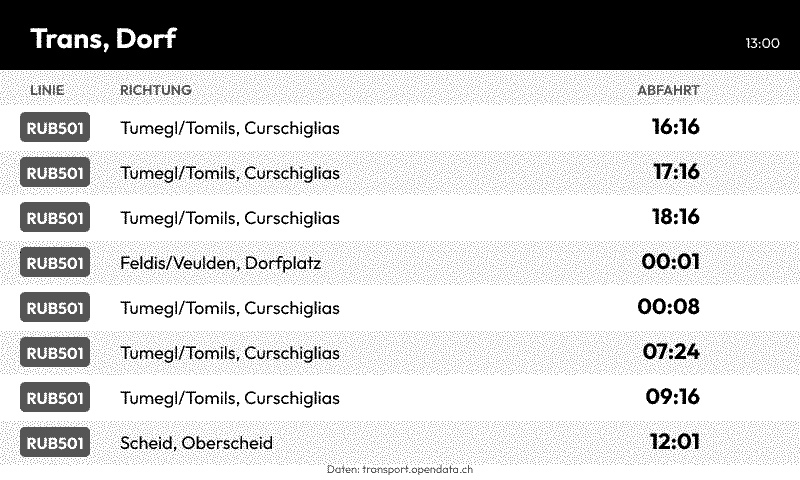
Result on e-ink display:
Next Steps
- Installation Guide - Set up Byonk on your server
- Architecture - Understand how Byonk works
- Create Your First Screen - Build a custom display
- API Reference - HTTP and Lua API documentation